If you are looking for a Create a Disaster Roblox guide, start with one readable disaster, learn how buildings react, then rotate different disasters while saving Cash for the next visible unlock. The useful beginner loop is trigger a disaster → damage buildings → earn Cash and Points → try a different disaster → unlock another option.
Start with a readable disaster
Choose Meteor if it is unlocked. The local beginner guide recommends it as an easy first test because you can aim at a clear location and observe the result. A single house is useful for reading local damage such as floors or windows; a dense city area is better when you want to see a wider effect and compare the Cash or Points feedback.
Do not treat the first strike as a race for the largest number. Your first checkpoint is that you can identify the target, see the building react, and confirm that the game has credited the run. The supplied evidence does not establish a fixed conversion between Points, damage, and Cash.
Follow the first unlock route
When you are saving for a visible unlock, enter your current Cash, the in-game target, and your observed earning rate to estimate the remaining play time. Treat the result as a planning aid because prices and earnings can change.
Player calculator
Create A Disaster cash goal calculator
Estimate the cash still needed, minutes of play, and sessions for a target using your observed earning rate.
Estimated result
- Still needed
- 10,000
- Estimated time
- 100
- Estimated sessions
- 5
Estimates use your observed rate and current target; they do not predict future game values.
Assumptions and sources
Assumptions
- The observed cash-per-minute rate stays constant while saving.
- A partial session counts as one full session and is rounded up.
- The player enters current prices and rates because the wiki does not publish fixed values.
Sources
- https://createadisaster.wiki/calculator/ · reviewed 2026-10-31
- Enter a map and choose an available disaster. Use
Meteoror another option already unlocked on your account. Prices and availability are account- and update-sensitive in the supplied evidence. - Aim at a useful test area. Pick one house when you need to understand the effect, or a building-dense city area when you want to compare area coverage and rewards.
- Read the result. Check the visible building damage and the Cash or Points feedback. Record your own result if you are comparing disasters; do not substitute an old fixed number.
- Change the disaster. Follow the first strike with a different available disaster, such as
Tornado,Volcano, orChain Lightning, to test theCombo Bonus. Repeating the same option is less useful for this specific beginner goal. - Open the unlock choices. Spend Cash only after checking the current in-game unlock price. Buy the option that gives you a genuinely different way to test the map rather than assuming a community price list is still accurate.
This route gives each new disaster a purpose: Tornado helps you observe a moving attack, Volcano tests area damage, and Chain Lightning lets you see a multi-target effect. For a more deliberate target-and-result test, follow the destruction guide. These are functional descriptions, not a complete tier list; the supplied evidence does not verify fixed damage, range, or purchase values for them.
Claim free progression
Before spending a long session on destruction alone, check the reward panels available in your current client:
| Reward source | What to do | Boundary |
|---|---|---|
Daily Rewards | Return and claim the daily entry reward | The exact reward and timing are shown in-game |
Daily Challenges | Read the current objective and complete it | The supplied evidence does not preserve a fixed objective list |
Playtime Rewards | Keep playing until the displayed time condition is reached | Added in Update 1; the exact tiers are not documented here |
These are native progression sources confirmed by the supplied wiki material, not promo-code claims. Check the panel before assuming that a particular reward amount or timer is permanent.
Restore the map between experiments
Use Restore Map from settings after you finish testing a disaster or before beginning another farming cycle. A clean map makes comparisons easier and gives an automated route a meaningful target again.
If you record a route with an external tool such as TinyTask, include the complete sequence: aim the disaster, open settings, select Restore Map, and return to the target area. The community video describes a setup using Tornado, Chain Lightning, Volcano, and Acid Rain, with charts at level 3 to reduce electricity cost. That is a player-reported setup, not an official guaranteed rate or requirement. Do not treat claims such as a fixed 30-second cycle or one million coins per minute as universal results.
Set up AFK farming with disaster rotations
This moment supports the farming route by showing the reported Tornado, Chain Lightning, Volcano, and Acid Rain setup with charts at level 3 to reduce electricity cost.
Choose what to test next
Once you have several options, use the question you want to answer rather than trying every disaster randomly:
| Your goal | A sensible test | What remains unknown |
|---|---|---|
| Learn precise targeting | Meteor or Orbital Laser on one building | Exact damage and range |
| Compare moving or area effects | Tornado versus Volcano in a dense area | Fixed reward ranking |
| Test large visual effects | Moonfall or Black Hole over city structures | Exact affected area and damage |
| Explore special effects | Gravity Flip or Flammable | Trigger conditions and unlock values |
| Inspect Update 1 content | Visit Nuclear Facility if available | Entry conditions and nuclear damage or reward |
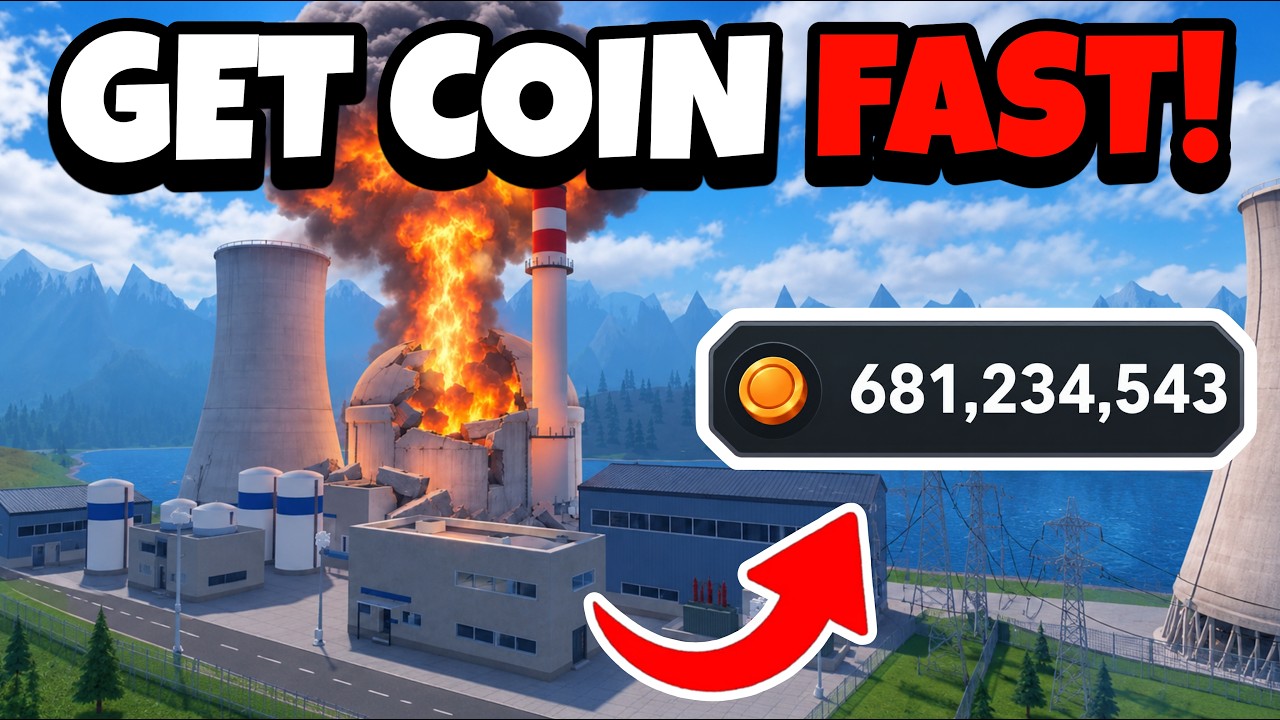
The video evidence reports that Moonfall can break windows in city structures and that the Nuclear Facility has a core-meltdown explosion animation. Those observations help you choose a test, but they do not prove a formal survival mode or a guaranteed reward. A challenge such as staying inside a house until it breaks is a player-created experiment, not a confirmed game mode.
Test Moonfall and Nuclear Facility effects
This moment supports the large-effect testing section by showing the reported Moonfall window damage and Nuclear Facility core-meltdown animation.

Fix common beginner mistakes
- You keep repeating one disaster: switch to another unlocked option after the strike if your goal is to test the Combo Bonus.
- You cannot compare results: use the same type of target, note the current Cash or Points feedback, and remember that a stable damage or earnings table is not available here.
- Your next run targets rubble: restore the map before the next experiment.
- Your farming loop stops making progress: confirm that the recorded route includes
Restore Mapand returns to a building-dense target. - You are looking for a formal survival result: treat the house-stay idea as a self-imposed challenge unless the current game client identifies a real mode.
After the next unlock, repeat the same learning cycle with a different disaster and a fresh map. That gives you a practical progression route without relying on unsupported prices, damage claims, or macro earnings.
FAQ
Is Meteor the only good beginner disaster?
No. Meteor is the clearest suggested starting point in the supplied evidence, but any unlocked disaster that lets you aim and read the building response can work. The important first lesson is observing the target and reward feedback.
What is the Combo Bonus?
It is the reward relationship associated with chaining different disasters. The supplied wiki confirms the rotation principle, but it does not preserve a fixed bonus formula or amount.
Does Create a Disaster have a fixed disaster limit of 25?
A video mentions a limit of 25, but the supplied native wiki evidence does not independently confirm what that number represents. Treat it as unverified rather than as a guaranteed number of slots or uses.
Can I use a macro to farm while away?
The supplied community video demonstrates an external TinyTask loop, but external macros are not an official guarantee of timing, earnings, or account safety. If you experiment with one, remember that the route must restore the map before repeating the attack.