Create a Disaster Maps Guide
The Create a Disaster Maps guide is mainly about choosing the right target area for your next disaster, not memorizing a complete map list. The supplied public evidence confirms Nuclear Facility as a named map. It also describes the main city, houses, and dense building areas as places to test destruction or earn Coins, but does not establish each one as a separate selectable map. Once you choose an area, use the destruction testing guide to keep target comparisons consistent.
Confirmed map and target areas
Use the following distinctions when planning a run:
| Area or term | What it is | Best use | Evidence boundary |
|---|---|---|---|
Nuclear Facility | The explicitly named facility map | Test nuclear disasters, the core meltdown, and the core explosion animation | The supplied wiki and update evidence name it; its entrance and unlock requirements are not documented |
| Main city | The ordinary city environment described by the gameplay records | Select houses and buildings as disaster targets | The sources do not give it a formal selectable-map name |
| Houses | Destructible building targets | Compare whether a disaster damages part of a structure or destroys it | A house is a target, not confirmed as a map |
| Dense building area | A high-value target zone within the city | Increase the number of buildings affected during a Coins run | The video recommends this type of area but does not define a named zone |
| Other dimension | A special space mentioned during a disaster description | Observe a disaster’s unusual scene or extended effect | Its formal name, entrance, and trigger are not confirmed |
Do not turn this table into a complete map roster. The available records do not provide a map menu, total map count, unlock order, or a complete list of formal names.
How to choose a map target
Choose based on what you are trying to do:
- Testing ordinary destruction: Stay in the city and target a house or a group of buildings. Compare the visible damage after each disaster.
- Farming Coins: Move the disaster toward the densest building area you can consistently target. More nearby structures give the reported farming setup more objects to affect, but the evidence does not establish a fixed payout per building.
- Testing nuclear effects: Use
Nuclear Facilitywhen you want to observe the large core sequence. The video describes a core meltdown followed by an explosion animation. - Repeating a comparison: Restore the environment before switching disasters so the next test starts with comparable targets.
Destruction is not uniform. The supplied gameplay record describes some houses losing only part of their structure, while Moonfall can affect city windows more broadly. There are no supported damage-radius or building-health values to use as a precise comparison.
Use Nuclear Facility for nuclear tests
Nuclear Facility is the safest name to use when you mean the dedicated facility map. The available wiki index calls it the only clearly named map in the current public update evidence, and a gameplay video separately discusses testing nuclear disasters there.
The practical test route is:
- Enter or select
Nuclear Facilityif it is available in your current game session. - Trigger the relevant nuclear disaster.
- Watch the facility’s core sequence rather than judging it by ordinary house damage.
- Observe the meltdown and the animation when the core explodes.
- Use
Restore Mapbefore repeating the test.
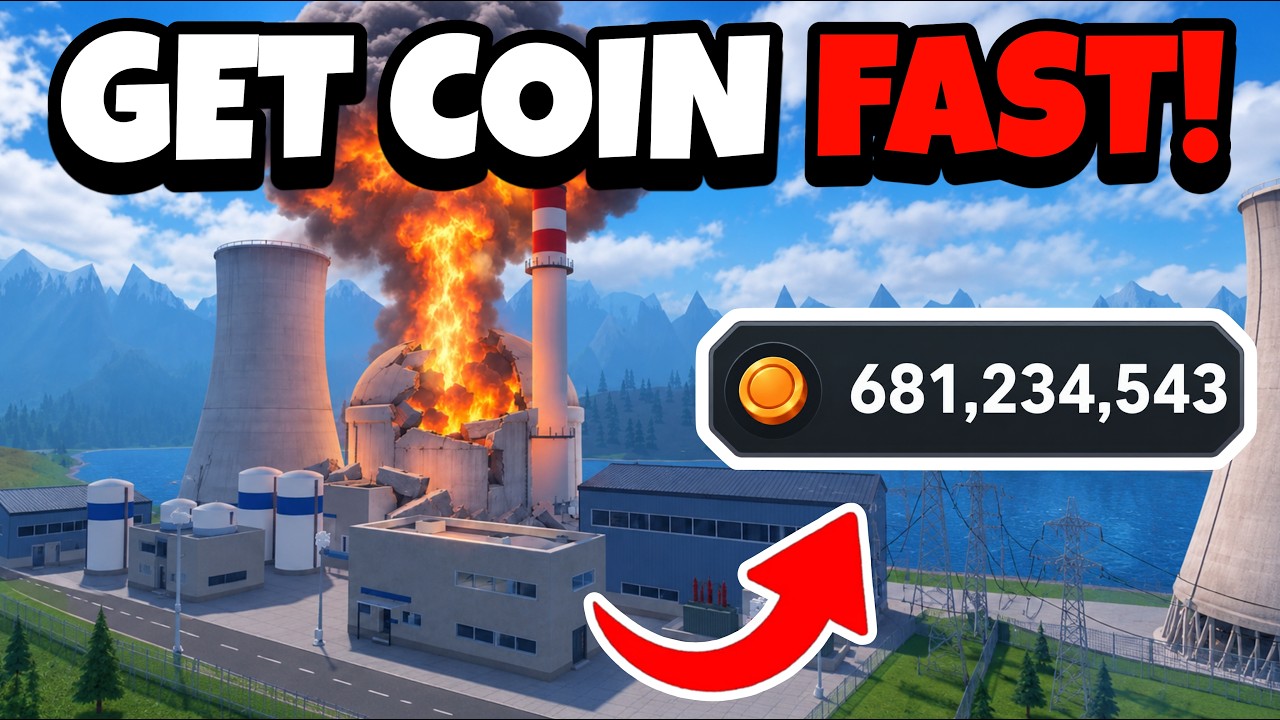
Watch the Nuclear Facility core test
This moment supports the Nuclear Facility route by showing the core meltdown and the explosion animation described in this section.

The current evidence does not document the facility’s exact entrance, unlock condition, or whether it can be freely selected in every session. Check the live game UI instead of assuming a fixed access rule.
Restore the map between runs
Restore Map is a reset control in the settings, not another destination. Use it after a disaster has removed or damaged your targets:
- Open the game settings.
- Select
Restore Map. - Wait for the city or facility targets to return.
- Aim the next disaster at the same type of area for a fairer comparison.
This is particularly useful for a repeatable city test or an AFK-style loop. Without restoring the environment, a later cycle may have fewer intact buildings, making its result difficult to compare with the first cycle.
Dense areas for a reported AFK route
A video demonstrates a farming loop using Tornado, Chain Lightning, Volcano, and Acid Rain. It directs those disasters toward the area with the most buildings, lowers charts to level 3 to reduce the effect of Electricity Cost, restores the map, and repeats the actions with TinyTask.
Player calculator
Create A Disaster cash goal calculator
Estimate the cash still needed, minutes of play, and sessions for a target using your observed earning rate.
Estimated result
- Still needed
- 10,000
- Estimated time
- 100
- Estimated sessions
- 5
Estimates use your observed rate and current target; they do not predict future game values.
Assumptions and sources
Assumptions
- The observed cash-per-minute rate stays constant while saving.
- A partial session counts as one full session and is rounded up.
- The player enters current prices and rates because the wiki does not publish fixed values.
Sources
- https://createadisaster.wiki/calculator/ · reviewed 2026-10-31
Aim disasters at dense areas for AFK farming
This moment supports the reported AFK route by showing the four-disaster setup aimed at the area with the most buildings.
Treat this as a player-reported setup rather than a map guarantee. The same video claims roughly one million Coins per minute and a cycle of about 30 seconds, but those figures depend on the player’s available disasters, target density, settings, game version, and execution. Measure your own manual route first, and check Roblox and game rules before using external automation.
Map mistakes to avoid
- Calling every city area a map: Houses and dense building areas are described as targets, not confirmed formal map names.
- Treating
Other Dimensionas a selectable destination: The special-space description does not confirm a name or access method. - Using
Restore Mapas a teleport: It only resets damage and prepares the current environment for another run. - Assuming Nuclear Facility access: Its name and nuclear test context are supported, but its entrance and unlock requirements are not documented.
- Copying the AFK payout: The million-Coins-per-minute result is a reported demonstration, not a guaranteed rate.
FAQ
What is the confirmed map in Create a Disaster?
Nuclear Facility is the only explicitly named map confirmed by the supplied public update and wiki evidence. The ordinary city is documented as a gameplay environment, but not with a confirmed formal map name.
Can I use houses as a survival challenge?
Yes, as a player-defined challenge: stay in a house during a disaster and treat the house being destroyed as failure. The supplied video says the player is not directly killed by the disaster, but this is a challenge rule rather than a documented map mechanic.
Does a dense building area always earn more Coins?
It is the recommended target type in the reported farming route because more buildings can be affected. The evidence does not provide a formula proving a fixed advantage or a guaranteed payout.